
Medil AI features explained
A text version of the illustrated guide, describing the main controls and what each screen lets you do.
When enabled, AI-assisted prescription OCR can be performed to facilitate transcription of medications and their associated instructions, provided the results are validated. In this short guide we show how the workflow can be performed manually, which is the reliable method to enter a prescription.
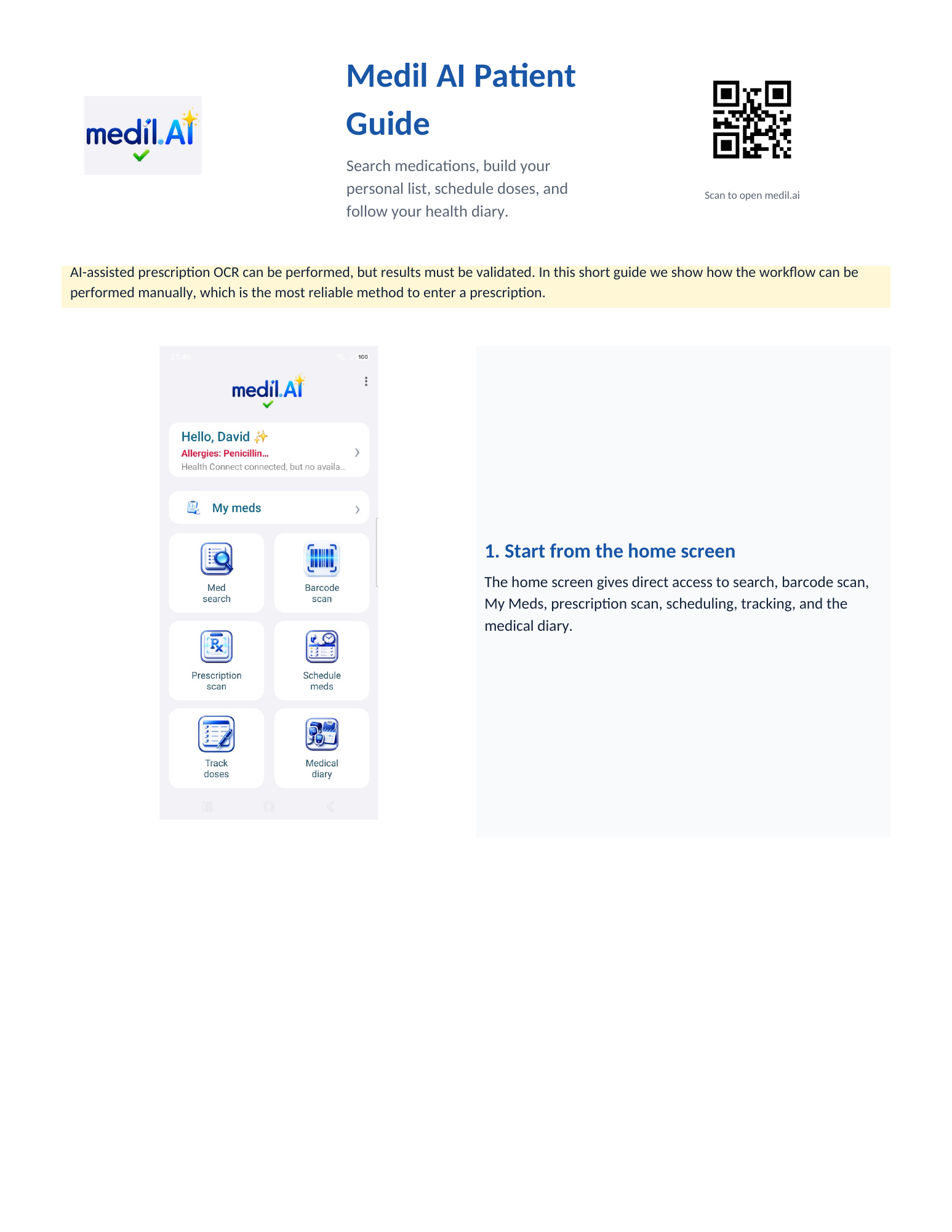
Start from the home screen
The home screen is your starting point. Some of the buttons may be disabled if some services (barcode, prescription scan) are not available in your country.
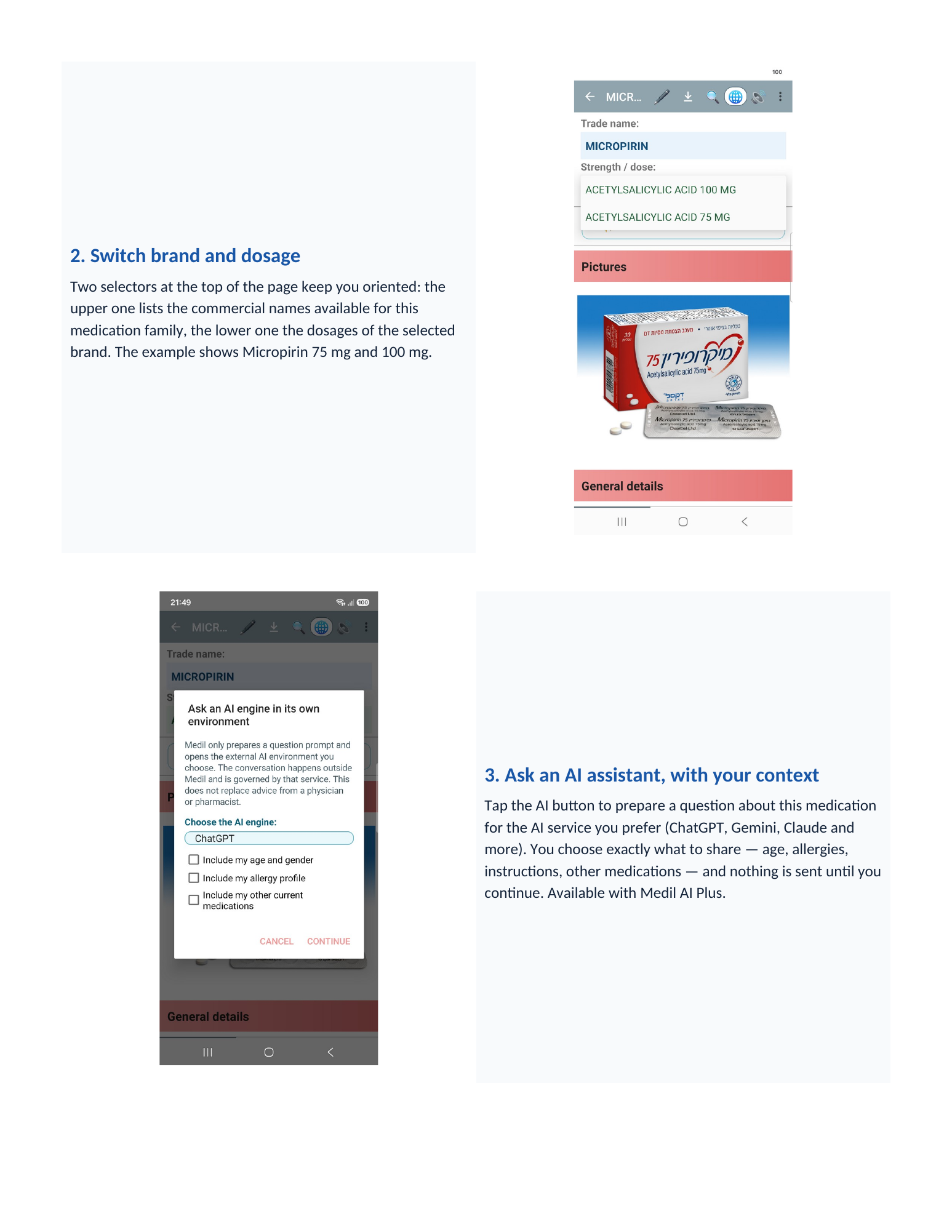
Search for a medication
Search by brand name or active ingredient — including the names you know from home, in your language. Typing a brand that belongs to a family shows it as a hint inside that family. Search also works offline.
Search the medication database
Use Med search to find a medication by brand name or active ingredient. Its details page helps you understand the active ingredients, route, indications and pharmacology, and gives access to official notices, pictures and other available national information. Use the pen button to add it to My Meds with your personal prescription instructions.
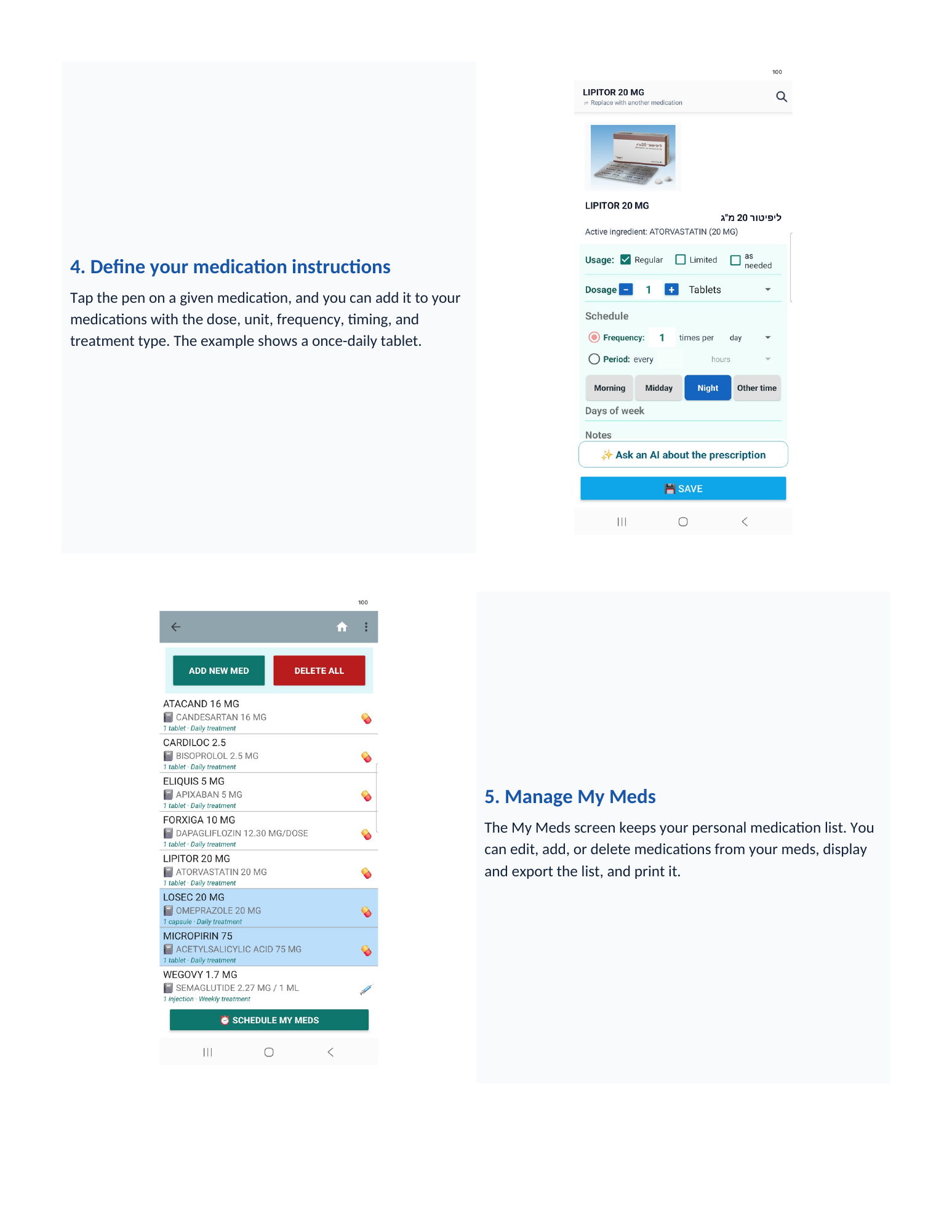
Define your medication instructions
Tap the pen on a given medication, and you can add it to your medications with the dose, unit, frequency, timing, and treatment type. The example shows a once-daily tablet.
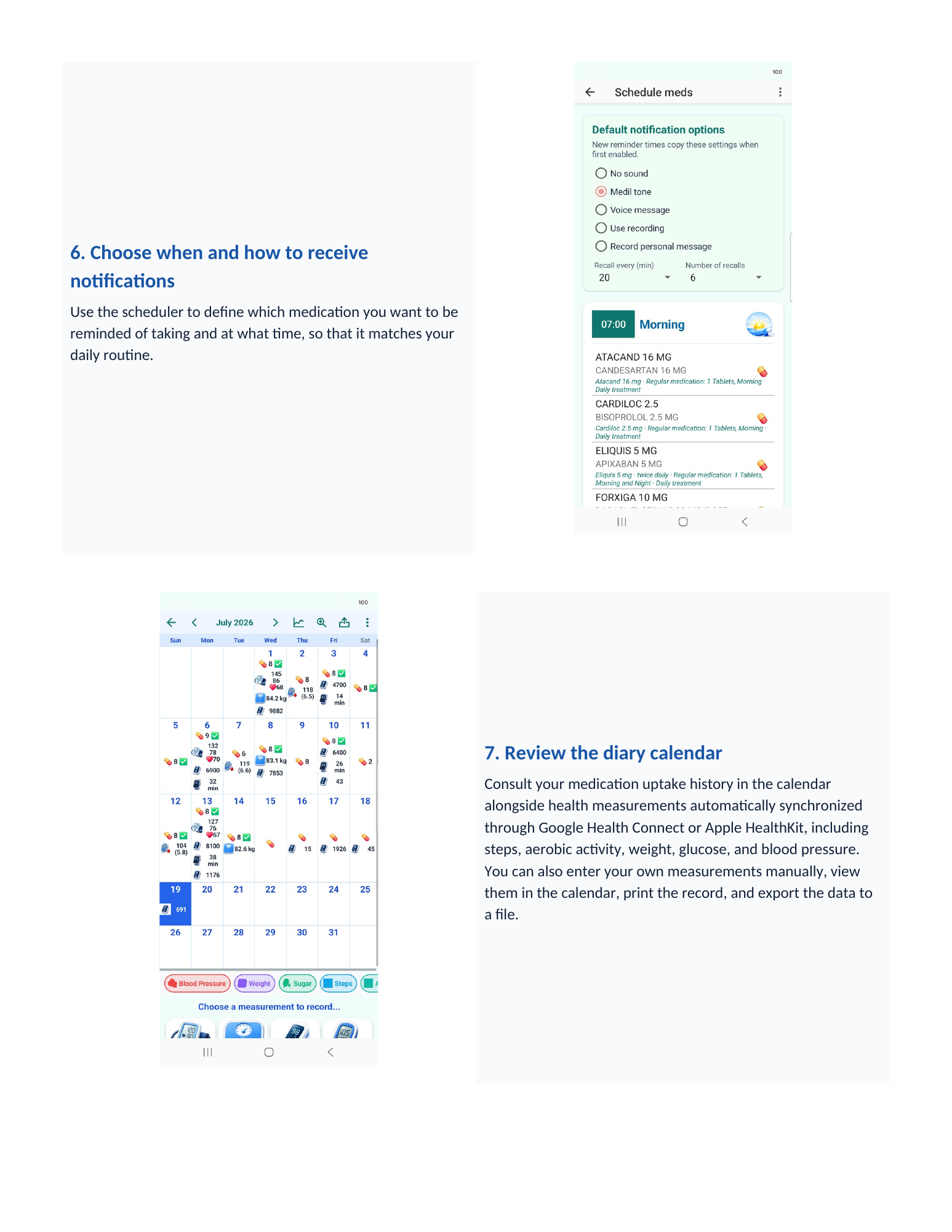
Choose when and how to receive notifications
Use the scheduler to define which medication you want to be reminded of taking and at what time, so that it matches your daily routine.
Manage your medications
The My Meds screen keeps your personal medication list. You can edit, add, or delete medications from your meds, display and export the list, and print it.
Receive a medication reminder
When a scheduled dose is due, Medil displays a medication reminder. Tap the notification to open Care tracker for that date and time.
Track taken doses
Care tracker can also be opened directly from the app. Confirm the doses you have taken and add remarks when useful. Confirming a dose stops further reminders for that dose.
Review the medical calendar
With Medil AI+, review your medication history alongside health measurements in the Medical diary. With your permission, Medil can copy existing steps and measurements from Apple Health or Health Connect into the diary; you can also enter measurements manually. The calendar, charts, print and export tools are included during the free trial.
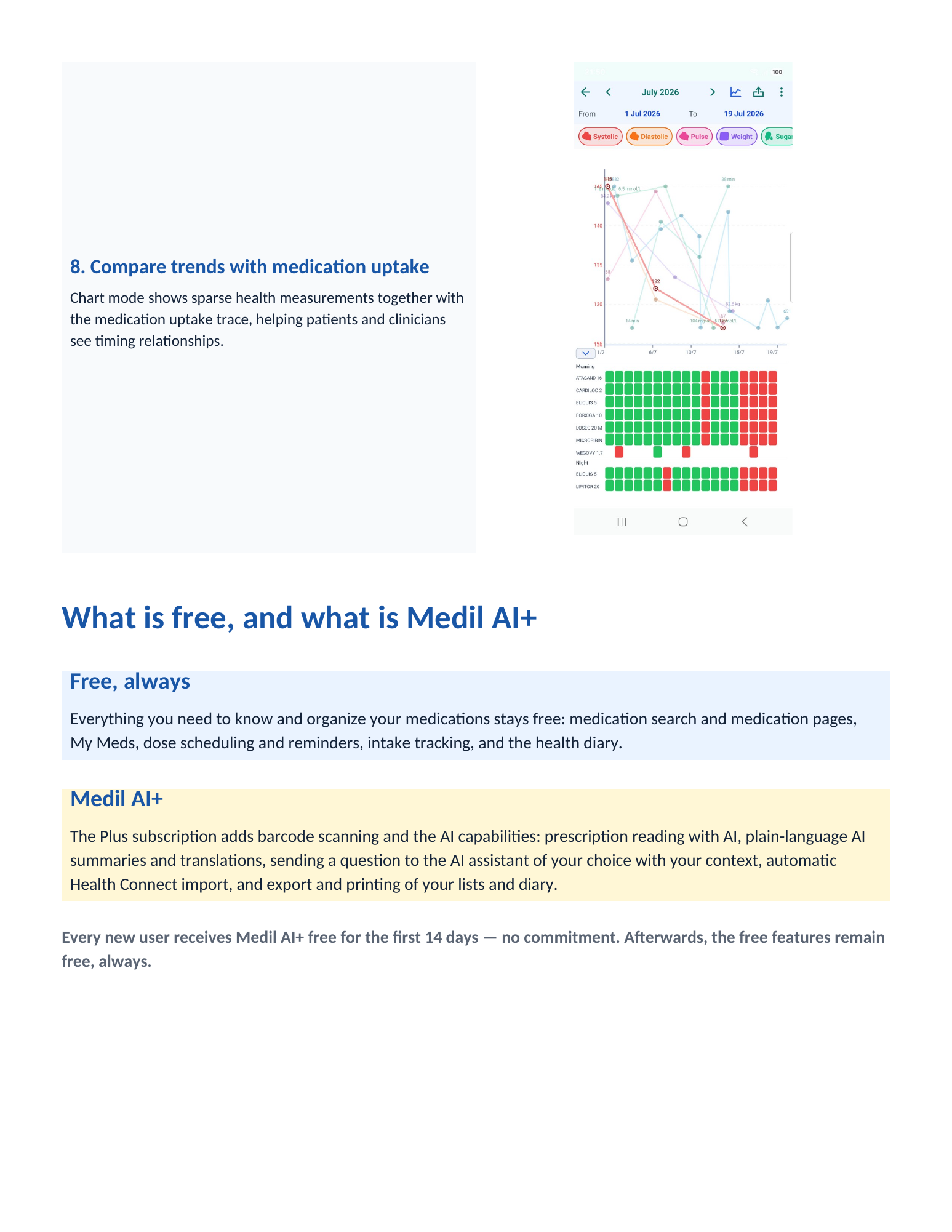
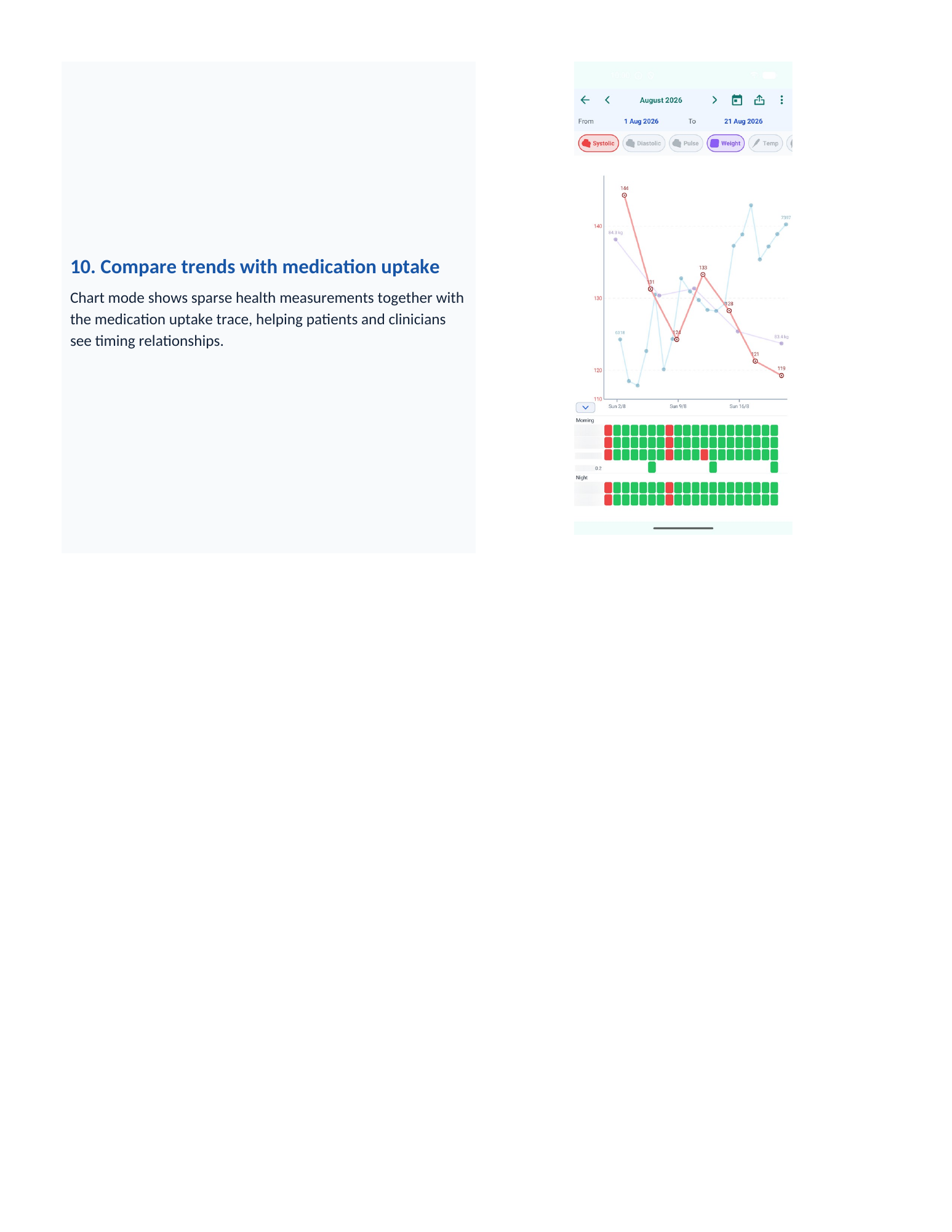
Compare trends with medication uptake
Chart mode shows sparse health measurements together with the medication uptake trace, helping patients and clinicians see timing relationships.
Optional with Medil AI+: manage care events
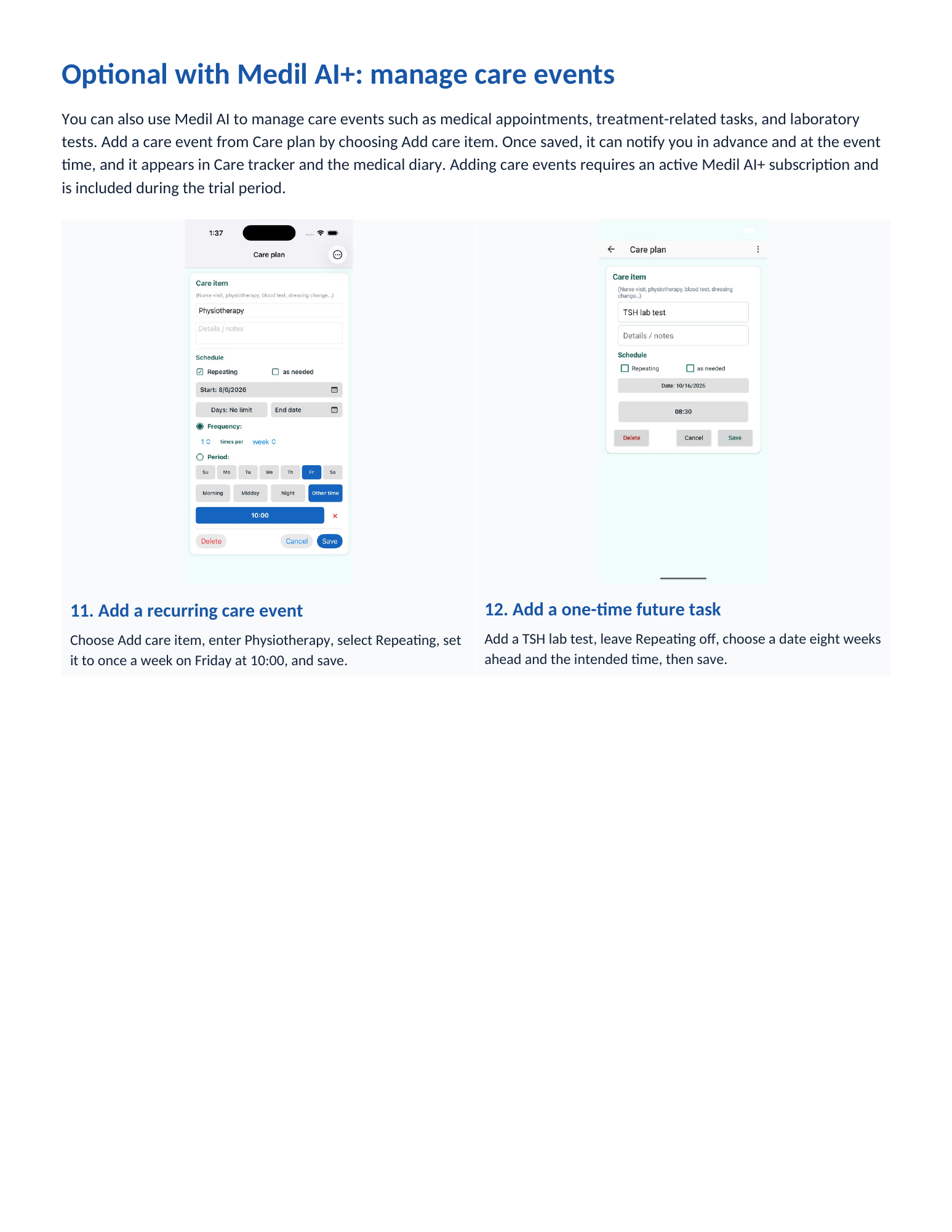
You can also use Medil AI to manage care events such as medical appointments, treatment-related tasks, and laboratory tests. Add a care event from Care plan by choosing Add care item. Once saved, it can notify you in advance and at the event time, and it appears in Care tracker and the medical diary. Adding care events requires an active Medil AI+ subscription and is included during the trial period.
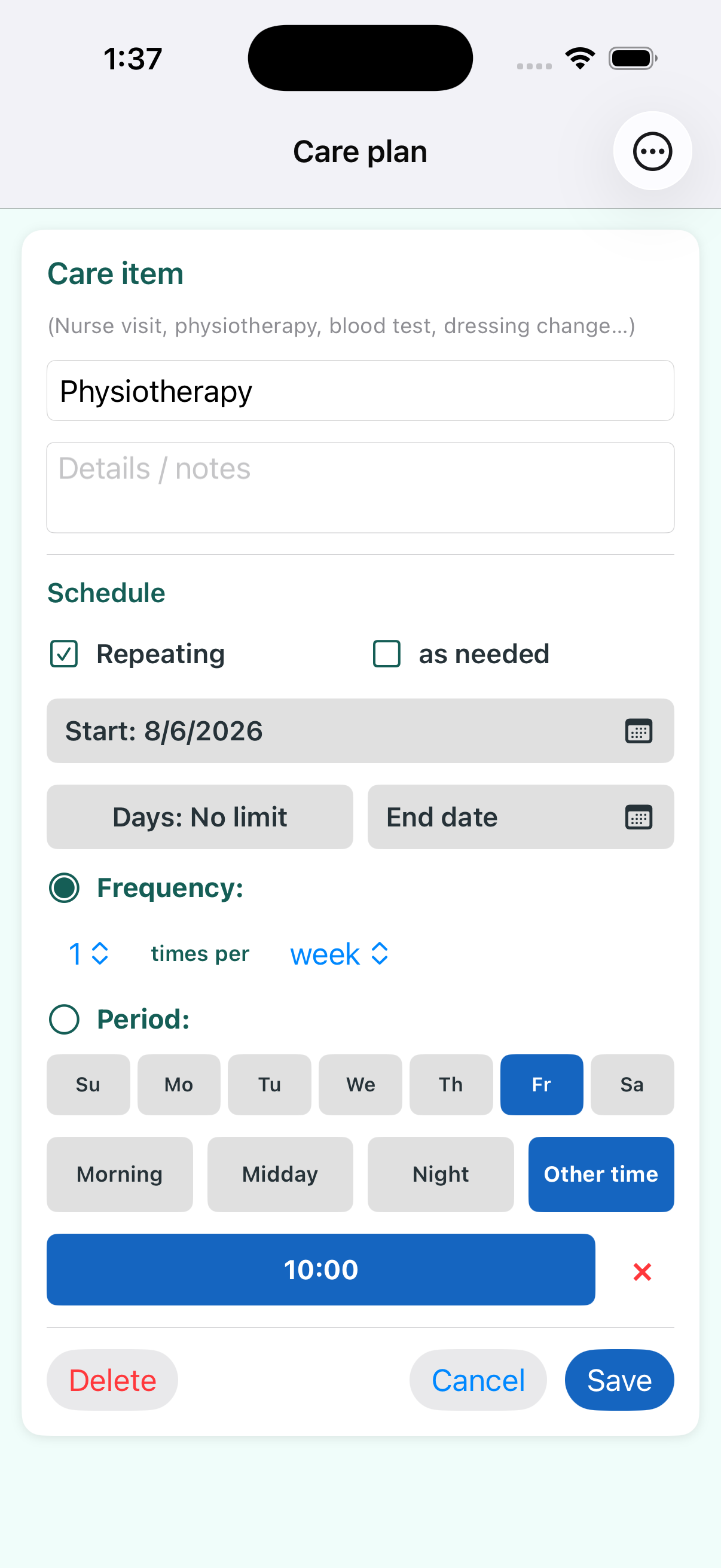
Add a recurring care event
Choose Add care item, enter Physiotherapy, select Repeating, set it to once a week on Friday at 10:00, and save.
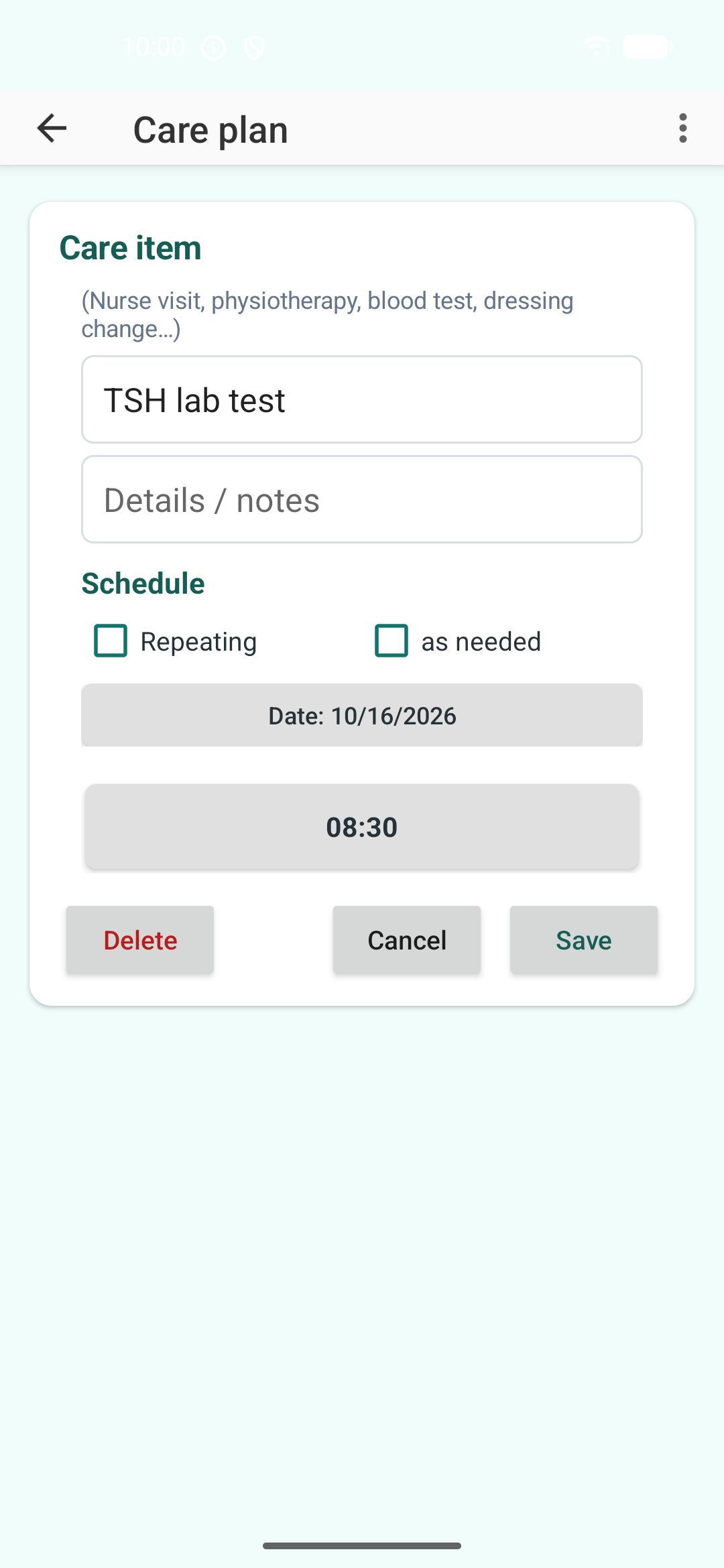
Add a one-time future task
Add a TSH lab test, leave Repeating off, choose a date eight weeks ahead and the intended time, then save.
Show your Medical diary on a computer
Calendar computer display brings the diary period you choose onto one read-only screen: the medical calendar, selected-day details, Care Plan, blood-glucose and other measurement charts, and medication timeline. You can review it together during an in-person or remote visit.
Open view.medil.ai on the computer. In Medil AI on your phone, scan its QR code or enter its 8-character code, choose a period and approve. Enter the 4-digit verification code shown on your phone in the computer browser. Requires Medil AI+ or an eligible free trial.
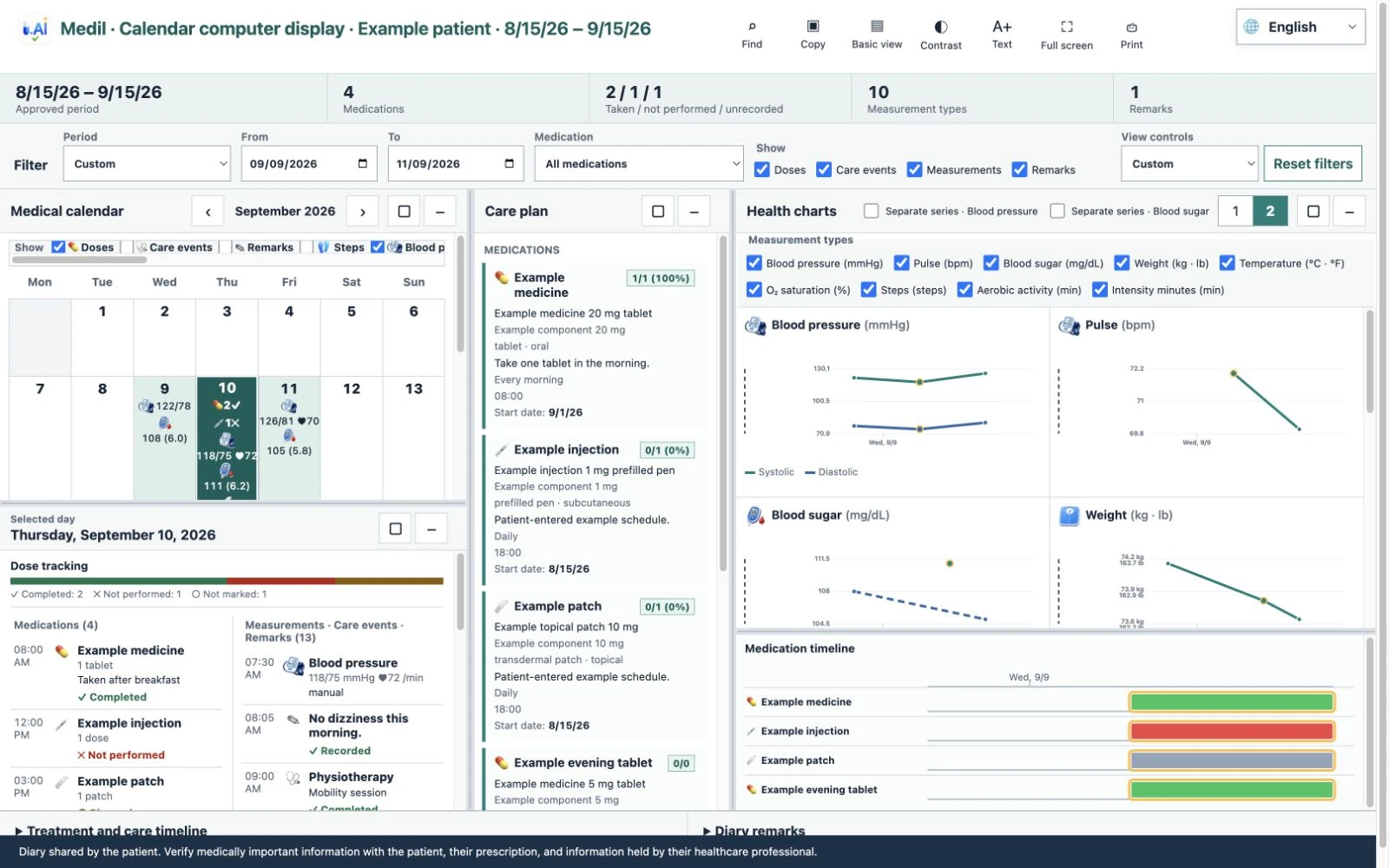
Record home measurements and follow your treatment plan
Keep home measurements in your Medical diary
During the 14-day Medil AI+ trial, you can try manual measurement entry, authorized health import, and camera-assisted entry. Point the camera at a separate blood pressure monitor, glucometer (blood glucose meter), pulse oximeter, thermometer, or scale. Medil suggests the numbers it recognizes; review and save each value yourself. With your permission, sync copies existing measurements from Apple Health or Health Connect into Medil's local diary and does not write measurements back. Your phone does not take these physiological measurements.
Follow a prescribed changing-dose schedule
For selected treatments, Medil can show the changing-dose schedule you enter from your prescription. Review every stage. The app does not choose or change your dose. Medication scheduling and dose tracking remain free.
A September 2026 preprint documents Medil AI version 4.17's design, implemented functions, and intended-use boundaries. From Prescription to Understanding: Medil AI, a Multilingual Mobile Platform for Medication Information, Pill Reminders, Adherence Support, and Between-Visit Communication · Read the preprint: https://doi.org/10.20944/preprints202609.0448.v1.
The entire Medical diary—including manual and camera-assisted measurement entry, authorized health import, calendar and charts—requires Medil AI+. For eligible new users, it is included during the 14-day free trial. Medication lists, schedules, reminders and dose tracking remain free.
Medil AI helps you understand and organize medication information. Confirm medication and treatment decisions with a qualified healthcare professional.